

Description
Snow Monkey Blocks is a collection of content blocks for Gutenberg. With using this plugin, you can create and publish landing pages or highly designed page quickly and easily. Of course, you don’t need to write any code.
With Snow Monkey Blocks, you add blocks such as features, checklists, FAQs, steps, testimonials, CTA to Gutenberg and quickly and easily launch responsive landing pages without programming knowledge.
Snow Monkey Blocks is optimized for the Snow Monkey theme, but it can also be used with other themes. With using Snow Monkey and this plugin together, output will be perfect designed and will be same view of edit screen.
Module blocks
- Alert
- Balloon
- Box
- Button
- Button box (Button with microcopy)
- FAQ
- Icon list
- Pricing table
- Rating box
- Step
- Testimonial
- Items
- Slider
- Contents slider
- Panels
- Media text
- Recent posts (Can be used only with Snow Monkey)
- Taxonomy posts (Can be used only with Snow Monkey)
- Pickup slider
- Categories list
- Contents outline (Can be used only with Snow Monkey)
- Evaluation star
- Child pages (Can be used only with Snow Monkey)
- Accordion
- Limited datetime
- Countdown timer
- Directory structure
- Container
- Price menu
- Taxonomy (Can be used only with Snow Monkey)
- RSS (Can be used only with Snow Monkey)
- Information
- Tabs
- Insert pattern (Beta)
- Custom field
- Hero header
- Flex
- Grid
Section blocks
- Section
- Section with background image
- Section (Break the grid)
- Section (Side heading)
3rd party resources
Font Awesome
WebSite: https://fontawesome.com/
License: https://fontawesome.com/license/free
slick
WebSite: http://kenwheeler.github.io/slick/
License: https://github.com/kenwheeler/slick/blob/master/LICENSE
Photos
KENJI HIROTA / Photographer
– https://hirokenji.com
– voido: https://voido.space
– cooks: https://cooks.jp
– License: CC BY 4.0 https://creativecommons.org/licenses/by/4.0/deed
Donald Tong
– https://stocksnap.io/author/25134
– stocksnap_wrn48fo5mr.jpg
– https://stocksnap.io/photo/nature-landscape-WRN48FO5MR
– License: CC0 https://creativecommons.org/publicdomain/zero/1.0/
Michelle Kim
– https://stocksnap.io/author/50698
– stocksnap_lgg8nat9jy.jpg
– https://stocksnap.io/photo/nature-mountains-LGG8NAT9JY
– License: CC0 https://creativecommons.org/publicdomain/zero/1.0/
Nathan Anderson
– https://stocksnap.io/author/28174
– stocksnap_ydxj69toal.jpg
– https://stocksnap.io/photo/mountain-highland-YDXJ69TOAL
– License: CC0 https://creativecommons.org/publicdomain/zero/1.0/
Alana
– swing-ocean-sea2875.jpg
– http://alana.io/downloads/swing-ocean-sea/
– License: CC0 http://alana.io/license/
– smartphone-mobile-laptop36.jpg
– https://alana.io/downloads/smartphone-mobile-laptop/
– License: CC0 http://alana.io/license/
– beach-sand-coast2756.jpg
– http://alana.io/downloads/beach-sand-coast/
– License: CC0 http://alana.io/license/
– man-guy-photographer1579.jpg
– http://alana.io/downloads/man-guy-photographer/
– License: CC0 http://alana.io/license/
– building-windows-balconies330.jpg
– https://alana.io/downloads/building-windows-balconies/
– License: CC0 http://alana.io/license/
– building-architecture-sky2096.jpg
– https://alana.io/downloads/building-architecture-sky/
– License: CC0 http://alana.io/license/
Screenshots


Blocks
This plugin provides 73 blocks.
- Panels Let's line up the contents like the panel.
- Taxonomy You can display terms linked to any taxonomy.
- Tabs This is tabs block.
- Contents outline Display the table of contents above the first heading.
- Limited DateTime Only the set period is displayed
- Child pages You can display child pages of this page.
- Custom field Displays the value of a custom field.
- Read more box This block can open and close glimpsed contents.
- Section (Break the grid) It is a break the grid section.
- Slider Show attractive images as beautiful sliders.
- Information You can post an information table.
- Thumbnail gallery (Deprecated) You can display a slide show with thumbnails. This block is being retained for backwards compatibility and is not recommended for use. Its use may slow down the page display.
- Media & text Set media and words side-by-side for a richer layout.
- Like me box You can display like me box.
- Button box It is a button with micro copy.
- Items Let's line up the contents.
- Price menu Display the menu name and the price.
- Icon list Icons are displayed only on the actual screen.
- Steps Express the steps in an easy-to-understand manner.
- Hero header Text can be displayed over large images and videos.
- Section Contents can be separated by appropriate margins.
- Balloon It is a block that can express a conversation.
- Taxonomy posts You can display recent posts linked to any taxonomy.
- RSS Display entries from any RSS or Atom feed.
- Evaluation star Evaluate with star icons
- Pickup slider Display posts with pickup tags as a slider.
- Rating box Evaluate with bars.
- Grid Child blocks can be layout in grid.
- FAQs You can list the FAQs.
- Section (with background image/video) It is a section with a background image/video.
- Section (Side heading) Contents can be separated by appropriate margins.
- Testimonials Let's arrange the voice of the customer.
- Pricing table Let's present the rate plan in an easy-to-understand manner.
- Container Container blocks keep content within a certain width.
- Box It is a box.
- Recent posts You can display recent posts with richer.
- Pickup slider (Deprecated) Display posts with pickup tags as a slider. This block is being retained for backwards compatibility and is not recommended for use. Its use may slow down the page display.
- Accordion You can set up a content area that expands and contracts like the accordion.
- Contents slider Show contents as beautiful sliders.
- Slider (Deprecated) Show attractive images as beautiful sliders. This block is being retained for backwards compatibility and is not recommended for use. Its use may slow down the page display.
- Directory structure Display a list of directories and files
- Buttons Prompt visitors to take action with a group of button-style links.
- Countdown Timer Display the countdown until the set date and time (Front-end only)
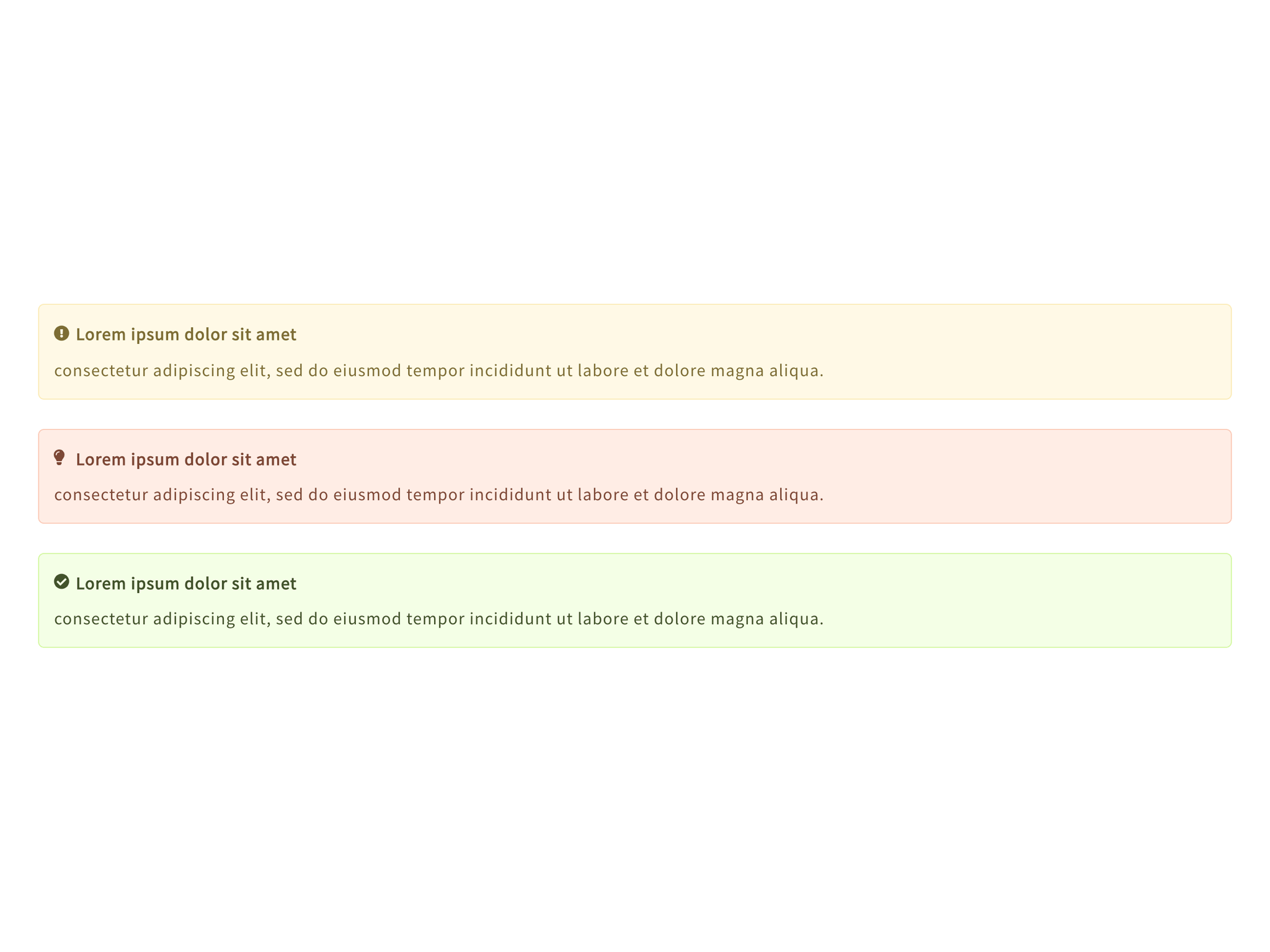
- Alert It is a block that warns visitors.
- Flex Child blocks can be layout in flex box.
- Categories list This is a block that displays a list of categories
- Panel (Horizontal layout) It is a child block of the panels block.
- Panel (Free input) It is a child block of the panels block.
- Panel (Free input / Block link) It is a child block of the panels block.
- Panel (Vertical layout) It is a child block of the panels block.
- Tab panel This is tab panel block.
- Row It is a child block of the information block.
- Slide (Deprecated) It is a child block of the thumbnail gallery block.
- Insert pattern (Beta) Insert a pattern (Only root). This block is beta version. This block may be significantly modified or discontinued in the future. In that case, however, the inserted patterns will not be affected.
- Banner It is a child block of the items block.
- Item (Deprecated)
- Item (Free input) It is a child block of the items block.
- Item (Standard) It is a child block of the items block.
- Item (Block Link) It is a child block of the items block.
- Menu It is a child block of the price menu block.
- Step (Free input) It is a child block of the step block.
- Step (Standard) It is a child block of the step block.
- Rating It is a child block of the rating box block.
- FAQ It is a child block of the FAQ block.
- Testimonial It is a child block of the testimonial block.
- Button Prompt visitors to take action with a button-style link.
- Section (with background YouTube video) It is a section with a background YouTube video.
- Plan It is a child block of the pricing table block.
- Panel
- Slide It is a child block of the contents slider block.
- Slide (Deprecated) It is a child block of the slider block.
- File Display a file item
- Directory Display a directory item
Installation
This plugin can be installed directly from your site.
- Log in and navigate to Plugins Add New.
- Type “Snow Monkey Blocks” into the Search and hit Enter.
- Locate the Snow Monkey Blocks plugin in the list of search results and click Install Now.
- Once installed, click the Activate link.
FAQ
-
Can Snow Monkey Blocks be used with any theme?
-
Yes! You can use Snow Monkey Blocks with any theme, but we recommend using our Snow Monkey theme for the best presentation. Other themes may require adjustment of margin between blocks.
Reviews


Contributors & Developers
“Snow Monkey Blocks” is open source software. The following people have contributed to this plugin.
Contributors


“Snow Monkey Blocks” has been translated into 1 locale. Thank you to the translators for their contributions.
Translate “Snow Monkey Blocks” into your language.
Interested in development?
Browse the code, check out the SVN repository, or subscribe to the development log by RSS.